Editor's brief
This guide empowers aspiring streamers to professionalize their setup and cultivate a loyal audience. By mastering hardware essentials, optimizing platform strategy, and utilizing data-driven insights for content creation, creators can transform their streams into a thriving, sustainable digital community while maintaining long-term engagement.
#Streaming Setup
#Content Creation
#Gaming Community
#Twitch
The landscape of game streaming has evolved from a niche hobby into a sophisticated digital profession. Whether you are aiming to share your passion for competitive esports or create a cozy space for indie titles, entering the world of content creation requires a blend of technical preparation, platform strategy, and community management. Drawing from years of experience in the South Korean tech and gaming scene, this guide will help you professionalize your setup and build a loyal audience. Laying the Groundwork: Essential Hardware To transition from a casual player to a serious streamer, you must treat your hardware as a professional command center. You do not need a fortune to start, but you do need a balanced, reliable setup. Before going live, audit your PC or console to ensure it can handle the overhead of encoding high-fidelity video alongside your game; software like OBS Studio requires consistent resources to avoid frame drops [1]. Audio is the heartbeat of your channel. In the realm of Twitch for beginners, viewers might forgive a low-resolution camera, but they will leave immediately if your audio is muffled or distorted. Invest in a dedicated microphone and prioritize proper gain staging [2]. Additionally, a dual-monitor setup is non-negotiable; having one screen for gameplay and another for your OBS dashboard and chat allows for the real-time engagement that defines a successful gaming community. Lighting: A simple ring light placed in front of you is more effect...
The landscape of game streaming has evolved from a niche hobby into a sophisticated digital profession. Whether you are aiming to share your passion for competitive esports or create a cozy space for indie titles, entering the world of content creation requires a blend of technical preparation, platform strategy, and community management. Drawing from years of experience in the South Korean tech and gaming scene, this guide will help you professionalize your setup and build a loyal audience.
Laying the Groundwork: Essential Hardware
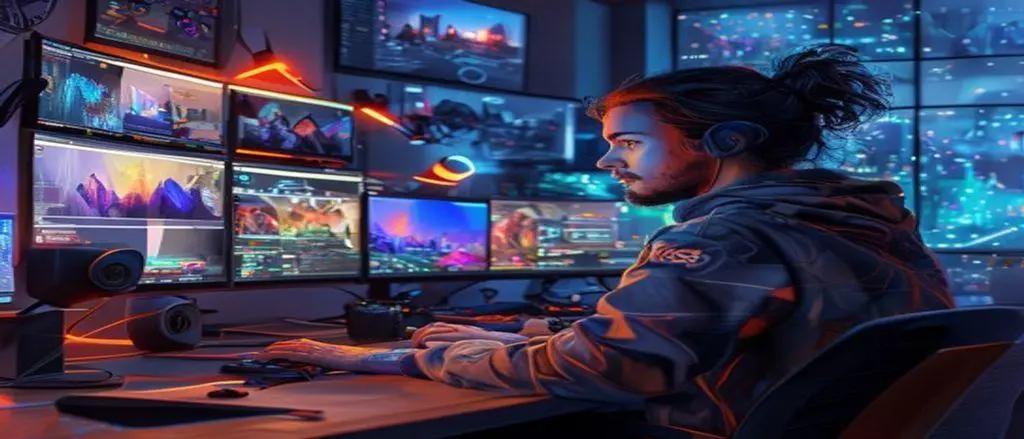
To transition from a casual player to a serious streamer, you must treat your hardware as a professional command center. You do not need a fortune to start, but you do need a balanced, reliable setup. Before going live, audit your PC or console to ensure it can handle the overhead of encoding high-fidelity video alongside your game; software like OBS Studio requires consistent resources to avoid frame drops [1].
Audio is the heartbeat of your channel. In the realm of Twitch for beginners, viewers might forgive a low-resolution camera, but they will leave immediately if your audio is muffled or distorted. Invest in a dedicated microphone and prioritize proper gain staging [2]. Additionally, a dual-monitor setup is non-negotiable; having one screen for gameplay and another for your OBS dashboard and chat allows for the real-time engagement that defines a successful gaming community.
- Lighting: A simple ring light placed in front of you is more effective than an expensive 4K camera used in a dark room.
- Network: Always use a wired Ethernet connection to prevent the packet loss and jitter common with Wi-Fi.
- Organization: A clean desk leads to a cleaner stream and less physical fatigue during long sessions.
Selecting Your Platform and Digital Home
Choosing your platform is like selecting an engine for a game; you must ensure the ecosystem fits your content. While platforms like Twitch remain the titans for competitive gaming, YouTube Gaming or others may offer better discovery for variety streamers. Conduct a "culture audit" by observing how top creators interact with their chat and how fast-paced the community engagement is on your chosen site [3].
Once you settle on a platform, treat your channel page like a storefront. A professional logo, a clear bio, and a deep understanding of your dashboard settings are vital. Never go live without knowing your bitrate and encoder settings inside out. Furthermore, utilize platform-specific interactive tools like channel points or polls early on; these features turn passive viewers into active participants, which is a core component of sustainable content creation.
Engineering Your Digital Stage
Your stream is a digital venue, and your broadcasting software is the control room. It is critical to create custom scenes that allow you to fluidly transition between gameplay, "just chatting" formats, and intermission screens. When configuring your streaming setup, remember that your voice must always cut through the mix. Use a compressor filter in your software to ensure your commentary remains audible even during intense gameplay moments [4].
Visual overlays should complement your brand without obstructing the game UI. Use alert notifications for followers and subscribers to provide immediate, rewarding feedback. These micro-moments are the building blocks of a loyal following. Finally, always consult the platform’s Terms of Service (ToS) to ensure your content remains safe and compliant, protecting your career from accidental strikes or bans.
Building a Thriving Gaming Community
While mechanical skill might bring viewers to your channel, personality and social architecture keep them there. Building a community is about fostering a space where viewers feel like participants rather than spectators. Actively acknowledging the chat is non-negotiable; it turns a broadcast into a conversation [5].
Extend your community beyond the live stream by utilizing platforms like Discord. This acts as your "town square" where fans can interact during your offline hours, creating a sense of belonging that transcends your streaming schedule. Always remain authentic; viewers can quickly identify a forced persona. When your audience feels they are part of a shared narrative—celebrating your wins and supporting you through losses—they transform from random viewers into a dedicated tribe.
Mastering the Art of Content Creation
Simply going live is not enough. To truly level up, you must treat your stream as a content ecosystem. Repurpose your best live moments into short-form videos for social media to increase your discoverability. Maintaining a consistent, non-negotiable schedule is the most effective way to signal respect for your audience's time [6].
Finally, utilize data-driven introspection. After every stream, review your analytics to understand where your viewers dropped off and what kept them engaged. This iterative process—much like a developer patching a game—allows you to refine your performance over time. Remember, the algorithm is a garden that requires patience to cultivate; focus on steady, incremental growth, and success will follow.
References
- OBS Project. (2024). OBS Studio: Performance and Hardware Encoding. Retrieved from View source
- StreamElements. (2023). The Ultimate Guide to Stream Audio. Retrieved from View source
- Twitch. (2024). Creator Camp: Getting Started on Twitch. Retrieved from View source
- YouTube Gaming. (2024). Best Practices for Live Stream Technical Setup. Retrieved from View source
- Discord. (2024). Building Community Servers for Streamers. Retrieved from View source
- Twitch. (2024). Creator Camp: Growing Your Channel and Analytics. Retrieved from View source

Greetings! Daniel Kim here. I’ve spent 4 years navigating the world of gaming and tech columnist who tracks esports, game design trends, and the communities that form around them., and my roots in South Korea and training in Game Design continue to shape how I tell stories and break down ideas.